Texting a landline wastes the send
Most landlines can't receive a text. The message goes out, nothing arrives, and you never find out which owners you missed.
Do it at scale and it costs you twice: once for the wasted sends, and again if carriers notice how many of your messages fail and start filtering the ones that would have landed.
But don't delete the landlines. An owner who ignores every text might still pick up the house phone. The goal is to send each number down the right channel: mobiles to texting, everything that rings to the dialer.
You can't tell by looking at the number
A mobile and a landline in the same town can share the area code and the next three digits. Nothing in the number gives it away.
Numbers also move. People take a home number to a mobile carrier, or a cell number to an internet phone app, and keep every digit. So a line-type column filled in when the data was compiled can be out of date. The reliable answer comes from looking up which carrier holds the number now, and what kind of line it is.
What one owner looks like, before and after
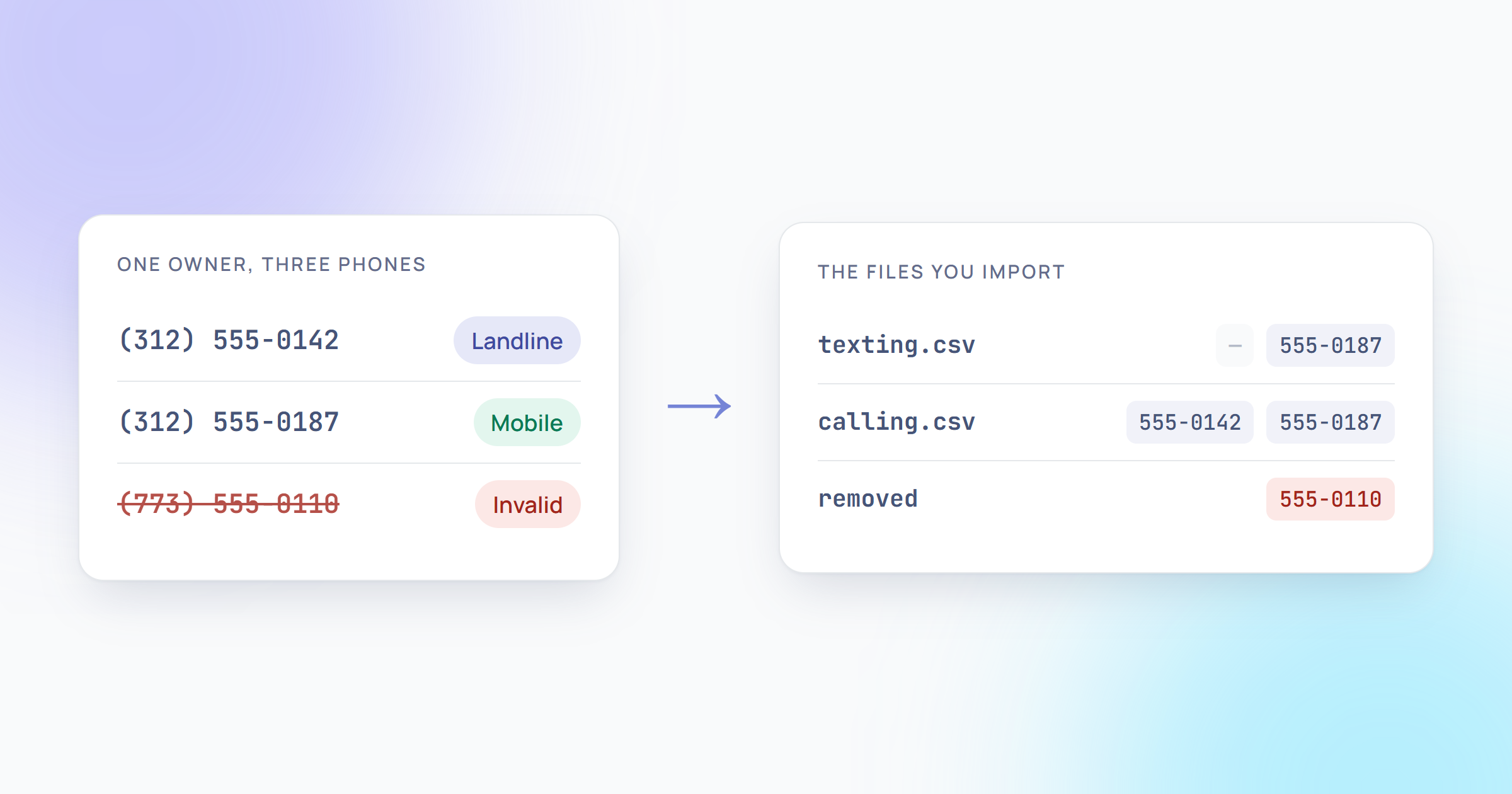
Here's one row from a skip trace, with made-up numbers. The check finds that Phone 1 is a landline, Phone 2 is a mobile and Phone 3 isn't a real number.
| File | Phone 1 | Phone 2 | Phone 3 |
|---|---|---|---|
| Your upload | (312) 555-0142 | (312) 555-0187 | (773) 555-0110 |
| texting.csv | — | (312) 555-0187 | — |
| calling.csv | (312) 555-0142 | (312) 555-0187 | — |
The owner stays in both files. The texting file keeps only the mobile, the calling file keeps both numbers that ring, and the dead number is gone from each. Nothing to sort by hand.
Do it in four steps
Step 1
Export the list as a CSV
Keep it exactly as your skip-trace provider gave it: one row per owner, every phone in its own column. If it's an Excel file, open it and use Save As, then CSV.
Step 2
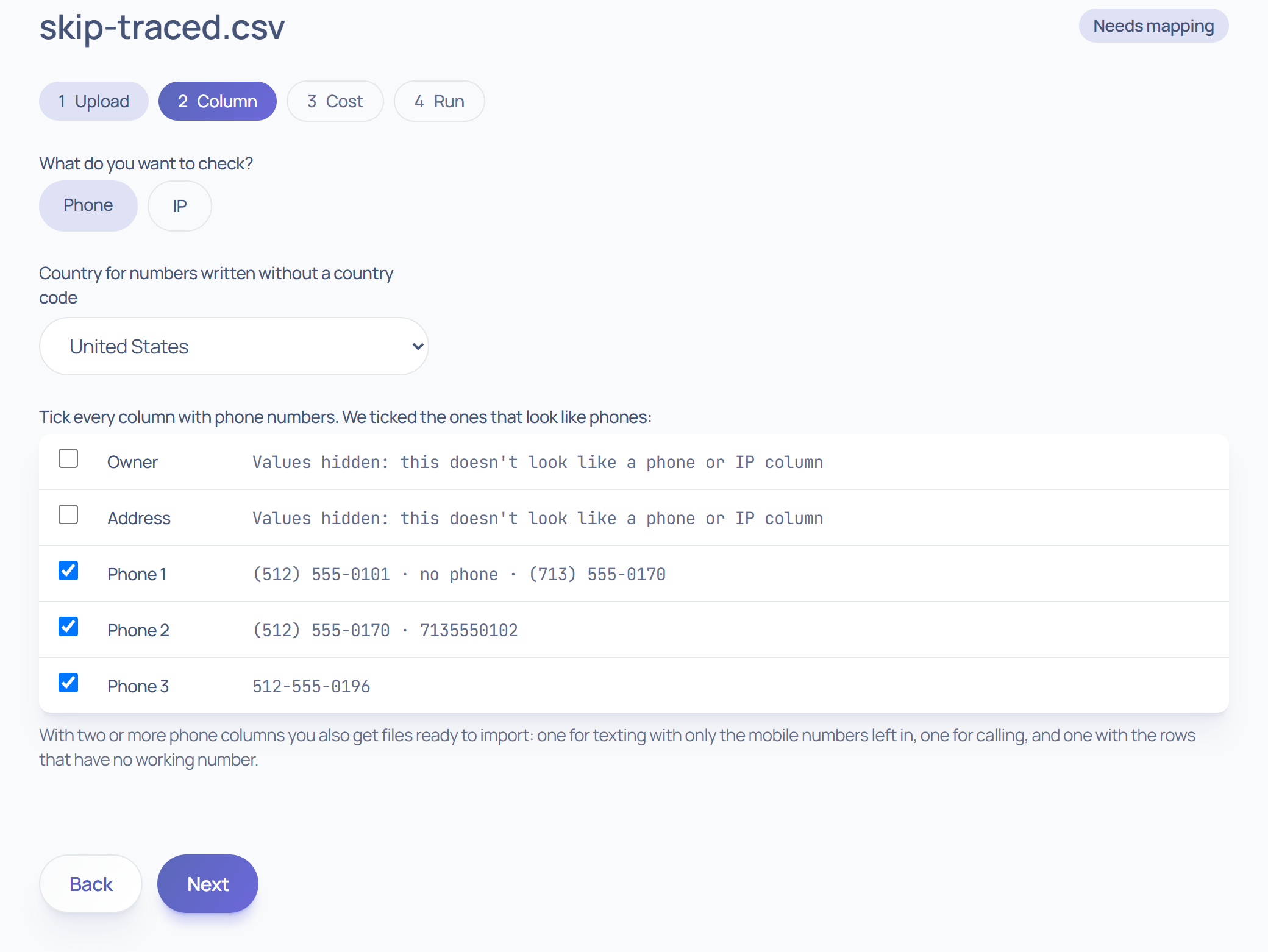
Upload it and tick your phone columns
We spot the phone columns and tick them for you, up to ten. Check we got them all.
Step 3
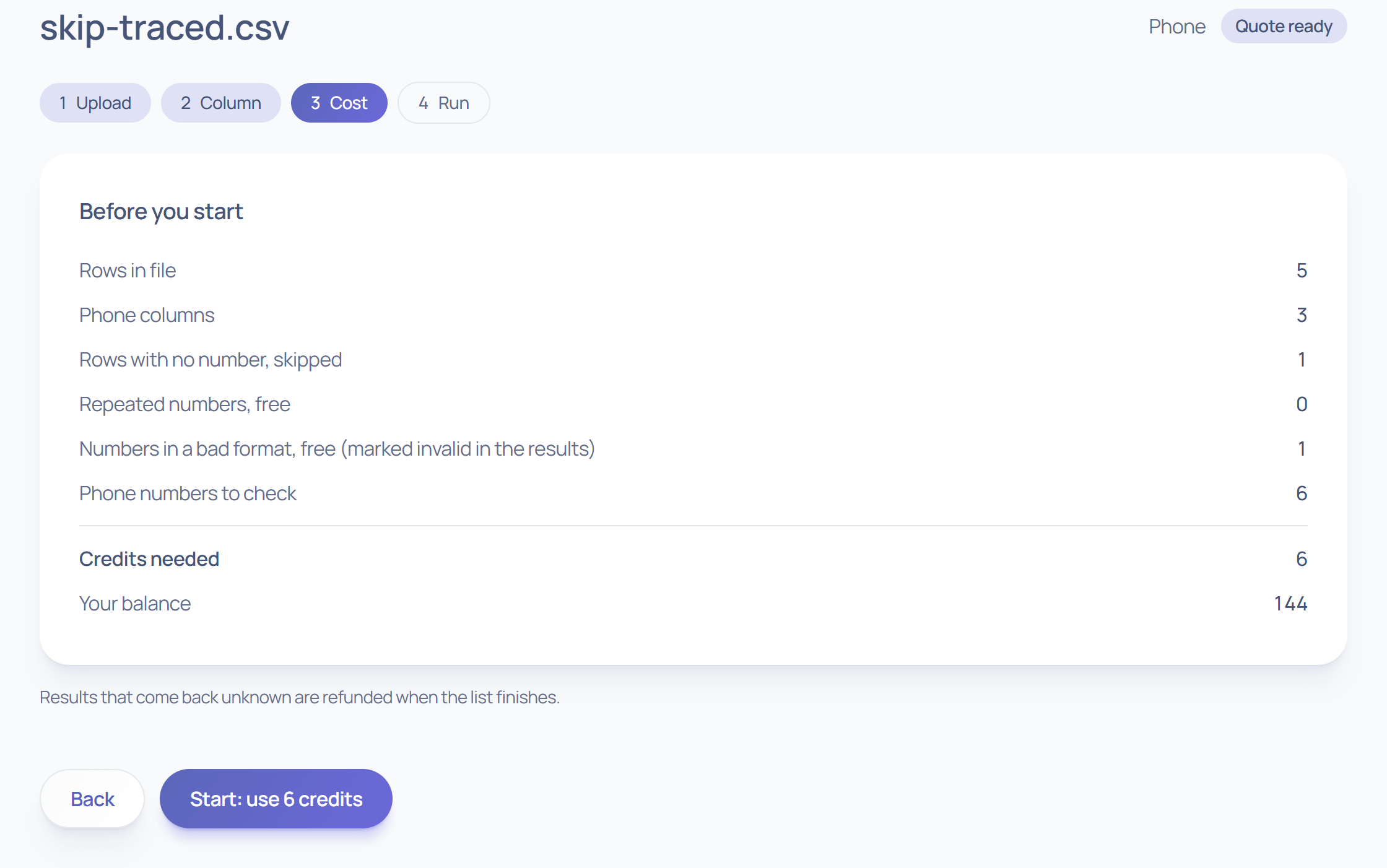
Check the cost, then start
You see the credit count before anything runs. Each different number is charged once, even if it shows up in three rows. Repeats, blanks and badly formatted numbers are free, and anything that comes back unknown is refunded when the list finishes.
Step 4
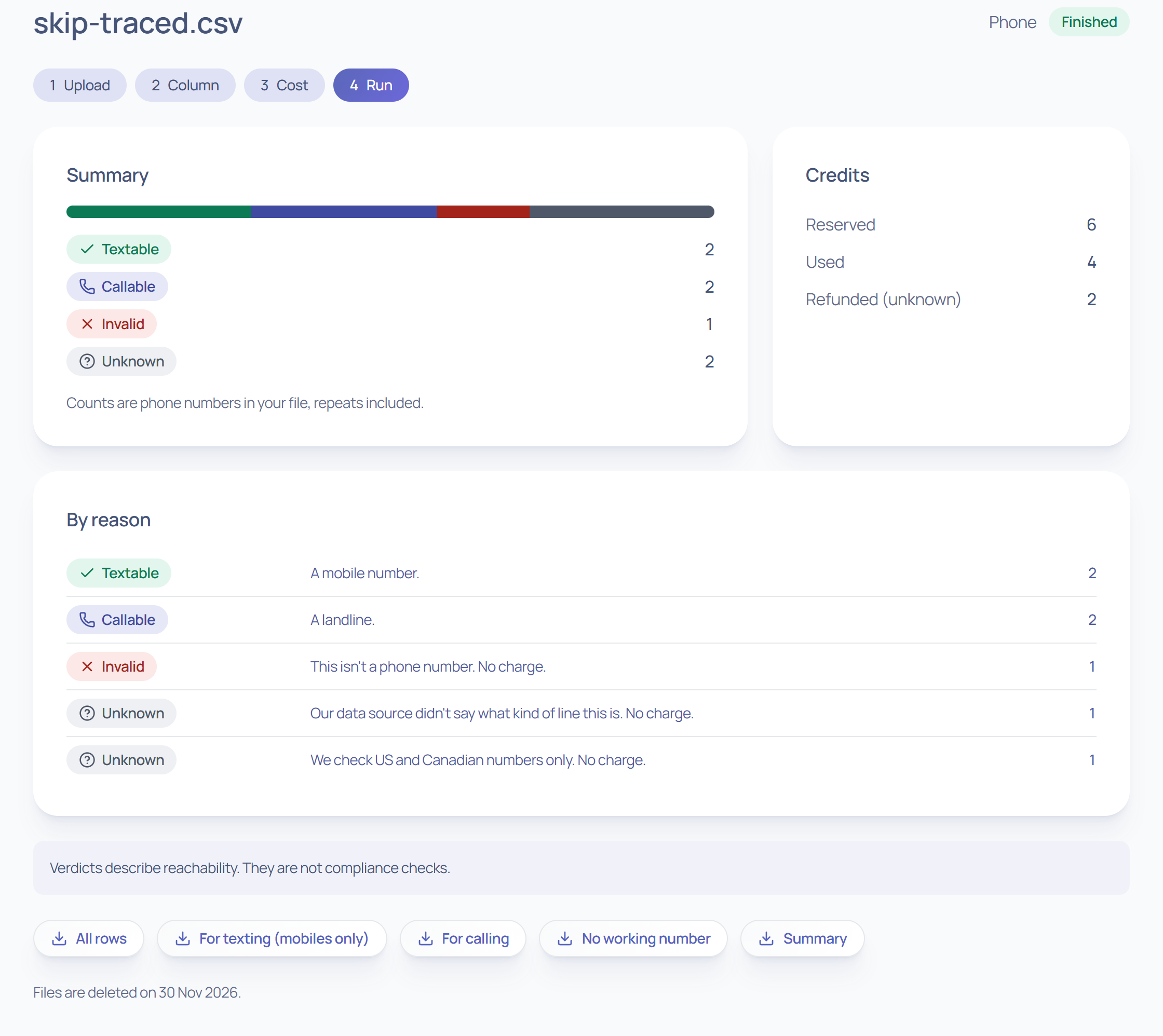
Download the file for each job
When the list is done, every number has a verdict: textable, callable, invalid or unknown. The files below are ready to import.
Which file goes where
- texting.csv
- Into your texting tool. Only owners with a mobile, and only their mobile numbers.
- calling.csv
- Into your dialer. Every number that rings, plus the ones we couldn't confirm either way.
- removed.csv
- Owners with no working number. Trace them again, or let them go.
- all.csv
- Everything, with the line type, carrier and region next to each phone. For when you want to dig in.